Manage Cookies in Firefox 3.5
How to access the Cookies controls in Firefox 3.5
| Tweak Type: | General |
| Fx 2: | NO |
| Fx 3: | NO |
| Fx 3.5: | YES |
The Cookies controls are a
bit hidden in Firefox 3.5. You will need to go Tools >>
Options.. >> Privacy.
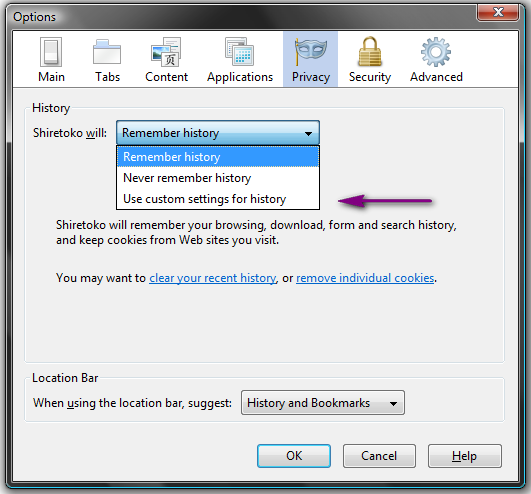
From there under history select from Firefox will: Use custom settings for history.
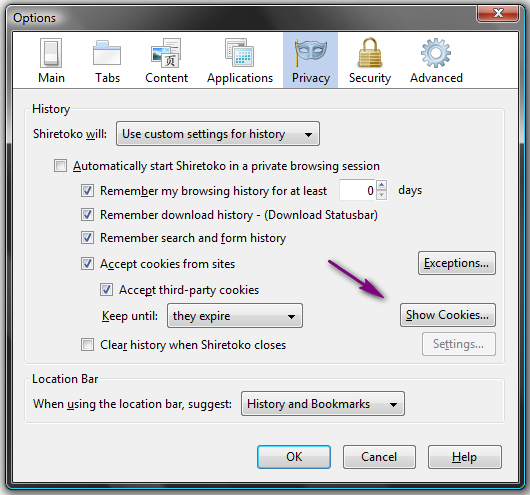
Your screen will change and be similar to below. Click the Show
Cookies... button to manage your cookies.