
Always shows the forward button in Firefox 10.0+
Compatibility 


Works with: Firefox 10.0+
Background
A new feature in Firefox 10 is the forward button is hidden when you can not go forward. It will reappear (and shifts the address bar to the right) when you can go forward.
 When you can not go forward the ‘forward’ button is hidden.
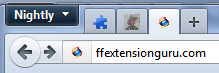 The ‘forward button’ reappears when you can forward and is integrated into the address bar.
The Tweak
There are a couple ways to ‘unhide’ the forward button. One is to use small icons instead of the default sized icons. Right-click on a toolbar button and select Customize… In the Customize Toolbar box check Use Small Icons at the bottom. If you still want to use the full size icons, Rob64Rock has provided this tip involving a quick customization and userChrome.css tweak:
- Put a ‘separator’ in between the back/forward button and the address bar.
Note: To locate ‘separator’ right click any toolbar and select ‘Customize…’ then drag & drop.

- Add this CSS code to userChrome.css [directions] to hide the separators
Note: This does hide all separators on the toolbar:
/* Hides Toolbar Separator */
#navigator-toolbox[iconsize="large"]:not([customizing="true"])
#nav-bar toolbarseparator
{display:none !important;}

Notes
You can hide the forward button in older version of Firefox (3.6.x-9.0.x). See the Display Tweak, Hide Forward Button for directions
Updated: November 23, 2025


